AI Powered Link in Bio Is Rewriting How Creators Turn Followers Into Customers
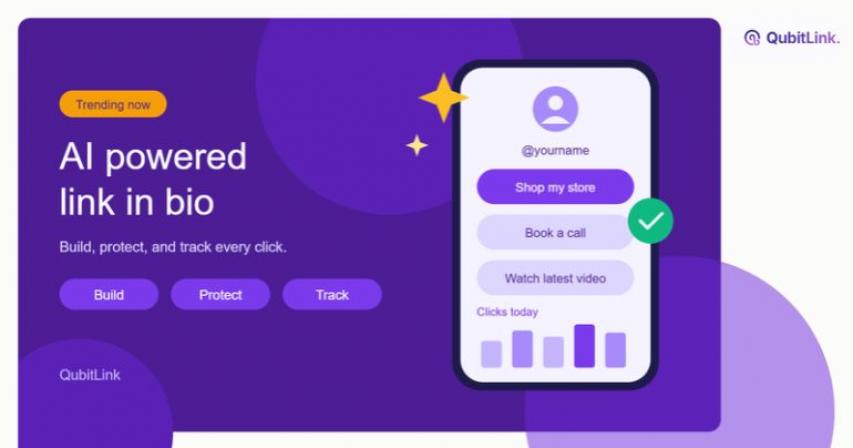
An AI-powered link in bio is one profile link that opens a smart landing page. AI helps you build the page, protect visitors, and read the results. Instead of a plain list of buttons, you get a page that works harder for you.
This guide explains how it works, which features matter, and how to set one up with QubitLink.
What Is an AI-Powered Link in Bio?
An AI-powered link in bio is a single URL that leads to a mobile page packed with your most important links. AI tools assist with design, safety checks, and performance insights.
Many social profiles allow only one clickable link. Creators use that slot to share products, videos, bookings, and sign-up forms. A basic tool simply lists those links. An AI-powered tool goes further.
It adds three layers:
- Building: A chat assistant designs and edits the page for you.
- Protection: AI scans destinations for phishing and malware.
- Insight: Analytics show where clicks come from and what drives them.
Why Does a Basic Link in Bio Fall Short?
Most basic pages share four problems.
- They look static: You build the page once, then forget it.
- They hide the numbers: You see a total click count but not the story behind it.
- They trust every destination blindly: One bad redirect can damage your audience's trust. Fourth, they eat your time. Every tweak needs manual design work.
- AI addresses each gap: It shortens the build time and flags risky links before visitors tap them.
How Does AI Improve a Link in Bio Page?
AI improves three jobs: designing the page, protecting the click, and explaining the data.
Designing the Page Faster
QubitLink offers AI Studio, a page-aware assistant. You describe what you want in plain language. The assistant generates or edits the page for you. Pro and Business plans include AI Studio.
QubitEditor handles the manual side. It offers a drag-and-drop canvas with more than 30 widgets. Teammates can edit the same page together and see each other's cursors live.
Protecting Every Click
QubitShield AI scans destination URLs and redirect chains. It looks for phishing, malware, and deceptive pages. Unsafe destinations can be blocked before your audience lands on them.
You can also test any short link for free with the QubitLink public link checker. No account is required.
Reading the Results
QubitLink tracks clicks by location, device, and referral source. The platform processes clicks as they happen. You can see which link earns attention while a campaign is still running.
Which Features Should You Look For?
Use this checklist when you compare tools.
- A drag-and-drop editor that works well on phones
- AI assistance for building and editing pages
- Built-in link safety scanning
- Click analytics with location, device, and referrer data
- Custom domains for branded links
- Forms that store responses, such as QubitLink's Page DB
- Lead tracking, such as the Kanban-style CRM in QubitLink
- Dynamic QR codes you can update after printing
- Smart targeting by location, device, or language
Not every creator needs every item. A solo photographer may need only the first four. An agency running many clients should want all nine.
How Do You Build One with QubitLink?
Follow these steps.
- Create a free account. QubitLink lists a free tier with no credit card required.
- Open QubitEditor and pick a layout.
- Add widgets for your top links, a sign-up form, and your social profiles.
- Ask AI Studio to refine the copy or layout if your plan includes it.
- Publish the page and place the short link in your profile.
- Review the analytics after a few days and adjust the order of your links.
Custom domains are available on paid plans. Free pages can use the standard qubitl.ink short domain.
Who Benefits Most from an AI-Powered Link in Bio?
Four groups gain the most.
- Creators: Turn followers into buyers with a clean page that loads quickly on a phone.
- Marketers: Compare campaign links and see which channel deserves more budget.
- Agencies: Manage several client pages with team permissions and shared assets.
- Small businesses: Collect leads through forms and follow up from one pipeline.
What Mistakes Should You Avoid?
A few habits weaken even a well-designed page.
- Listing too many links: Visitors freeze when they face twelve buttons. Lead with one main action.
- Skipping tracking: Without data, you guess which link works. Check your analytics weekly.
- Ignoring safety: Scan third-party links before you add them. One bad destination hurts your reputation.
- Forgetting mobile: Most profile visits happen on phones. Preview every change on a small screen.
- Never updating: Refresh your top link when your offer changes.
Frequently Asked Questions
Q: Is an AI-Powered Link in Bio Free?
QubitLink offers a free tier with analytics included. Advanced tools such as AI Studio belong to Pro and Business plans.
Q: Does AI Replace Design Skills?
No. AI speeds up the first draft. You still choose the message, the offer, and the order of links.
Q: Can I Use My Own Domain?
Yes. Custom domains work on paid plans.
Q: Can I Capture Leads from My Bio Page?
Yes. You can collect form responses and manage leads in a pipeline. Webhooks can push that data to your CRM or messaging tools.
Q: How Do I Know a Link Is Safe to Share?
Paste it into the free public link checker. It expands the link, inspects redirects, and returns a safety report.
Final Thoughts
Your bio link is often the first step a follower takes toward buying from you. An AI-powered page makes that step faster, safer, and easier to measure. Start with a simple layout, track what happens, and improve one link at a time.
Ready to try it? You can start free with QubitLink and publish your first page today.
By: admin / Source: QubitLink




Comments